> For the complete documentation index, see [llms.txt](https://docs.quickreply.ai/llms.txt). Markdown versions of documentation pages are available by appending `.md` to page URLs; this page is available as [Markdown](https://docs.quickreply.ai/product-modules/journeys/manage-journey/pause-resume-and-clone-a-journey.md).
# Pause, Resume and Clone a Journey
## Pause journey
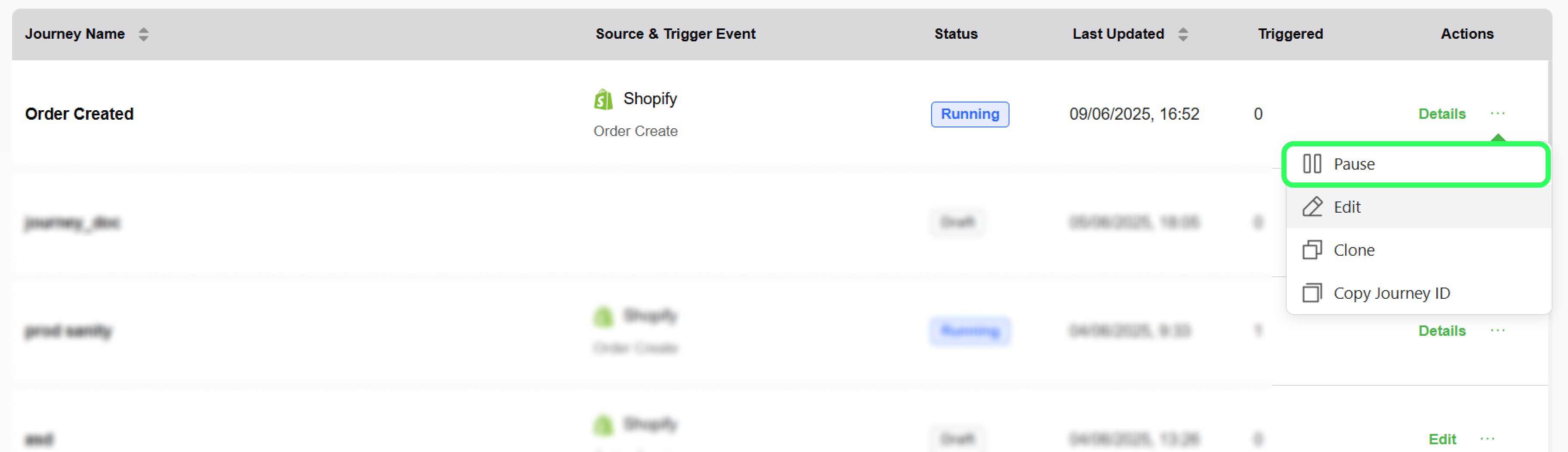
By default, when a journey is published, its status changes to "Running." To prevent the journey from triggering, you can follow these steps to pause it.
1. Navigate to the journey you wish to pause
2. Click on the three dots (...) and select pause
## Resume Journey
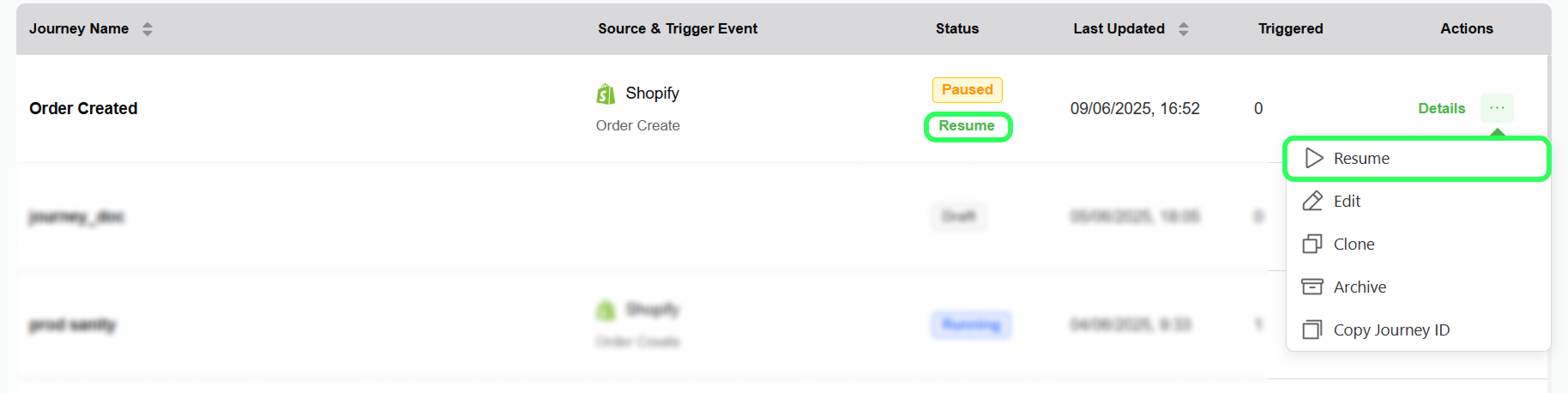
You can resume paused journeys in the following way
1. Navigate to the journey which is in the Paused status, and you wish to resume
2. Either click on resume under status, below the paused text or click on the three dots under Actions and select pause.
## Clone Journey
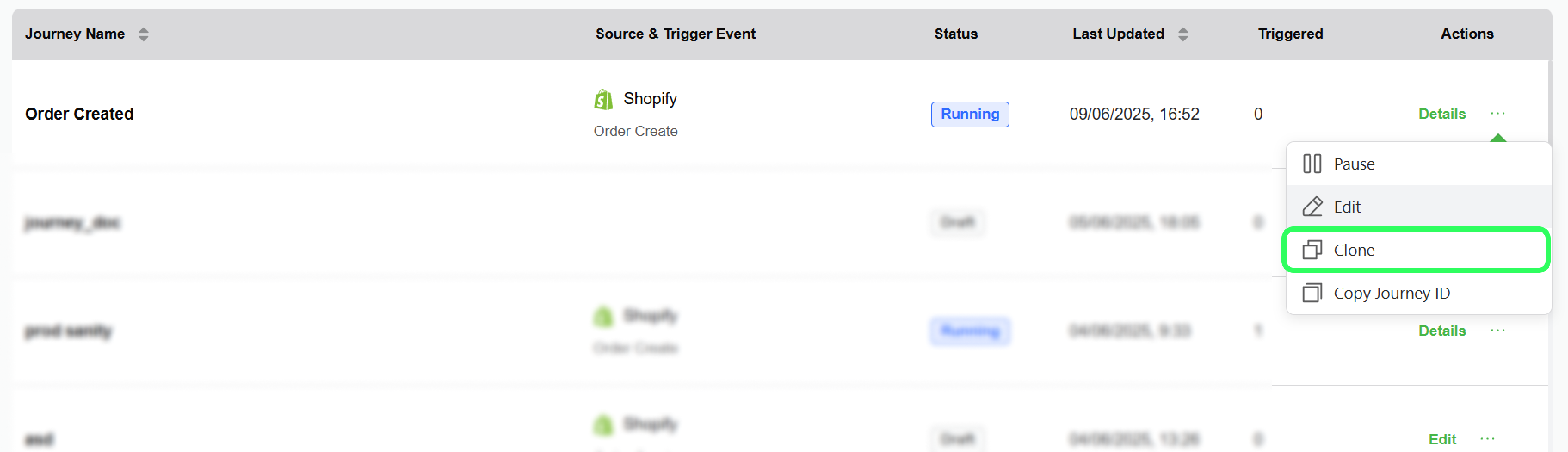
You can easily duplicate a journey using this option. When you clone a journey, its status is set to "Draft" by default. You can clone a journey using the following steps.
1. Navigate to the journey you want to copy/clone.
2. Click on the three dots (...) and select clone