> For the complete documentation index, see [llms.txt](https://docs.quickreply.ai/llms.txt). Markdown versions of documentation pages are available by appending `.md` to page URLs; this page is available as [Markdown](https://docs.quickreply.ai/product-modules/journeys/manage-journey/create-journey-trigger-settings.md).
# Create Journey - Trigger Settings
## Create Journey
* Navigate to [Journeys](https://app.quickreply.ai/v3/journeys) from the sidebar
* Click on "+ Create Journey"
* Add the name of the journey and tags (upto 10) for easier organization and searching. And click on create.
## Triggers and Filters
* **Select Trigger Source**: Choose from available sources such as Shopify or Custom (Webhooks). Learn more about [Triggers and Events here.](/product-modules/journeys/data-sources/triggers-and-events.md)
* **Select Event:** Select the trigger event from the available options under the selected source.
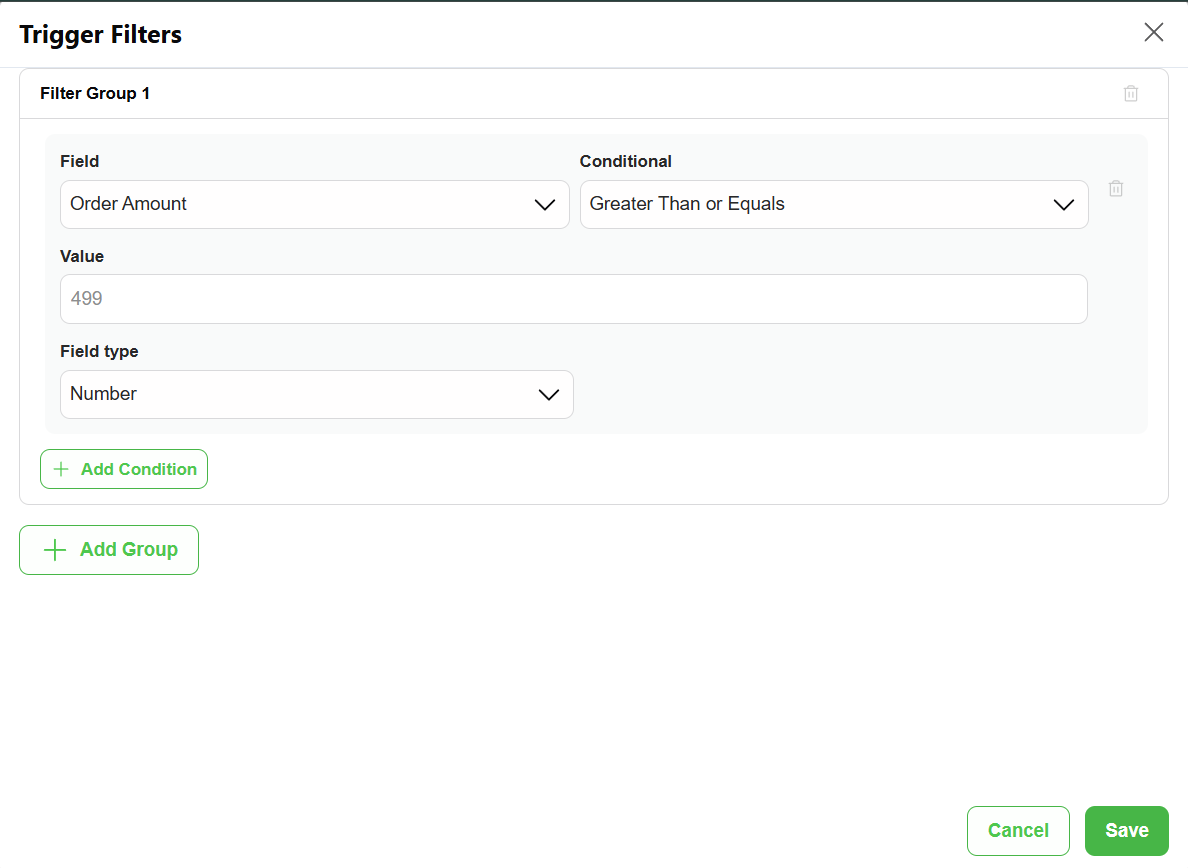
* **Define Trigger Filters** (optional): Set conditions based on customer actions or event properties. Filters allow for more granular control over who enters the journey.
* **Basis User Action**: Filter based on user interaction.
* **Basis Event Property**: Filter based on event-related data.
By following the above steps, you have completed Step 1 (Trigger Settings) of setting up a Journey. Proceed to the next page to set up the Workflow ( what to send, when to send, how to send)
.png?alt=media)
.png?alt=media)
.png?alt=media)
.png?alt=media)