> For the complete documentation index, see [llms.txt](https://docs.quickreply.ai/llms.txt). Markdown versions of documentation pages are available by appending `.md` to page URLs; this page is available as [Markdown](https://docs.quickreply.ai/product-modules/campaigns/how-to-pause-a-drip-campaign.md).
# How to Pause a Drip Campaign
## **Navigate to the Campaigns Dashboard**
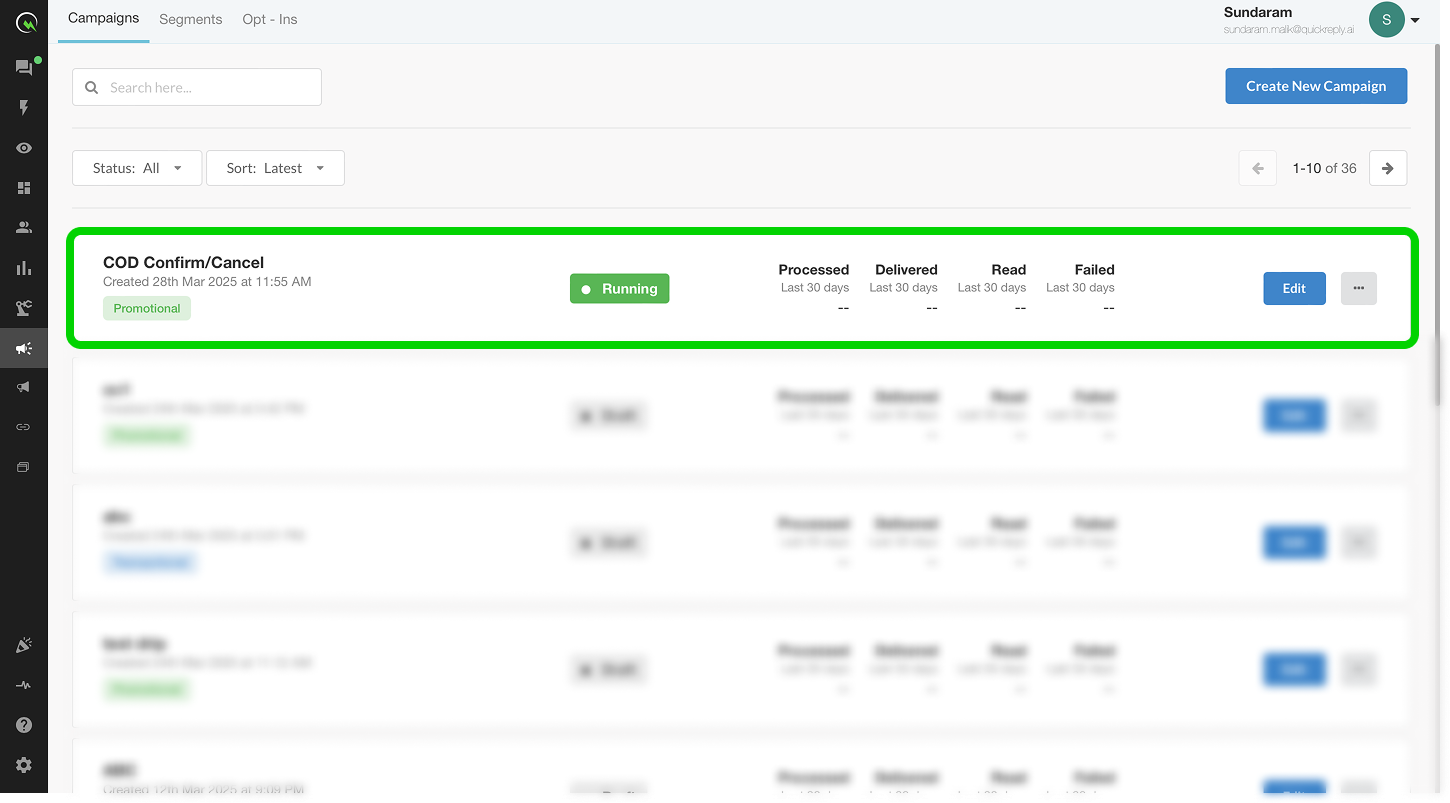
Go to the **Campaigns** section and locate the campaign you want to pause.
## **Select the Pause Button**
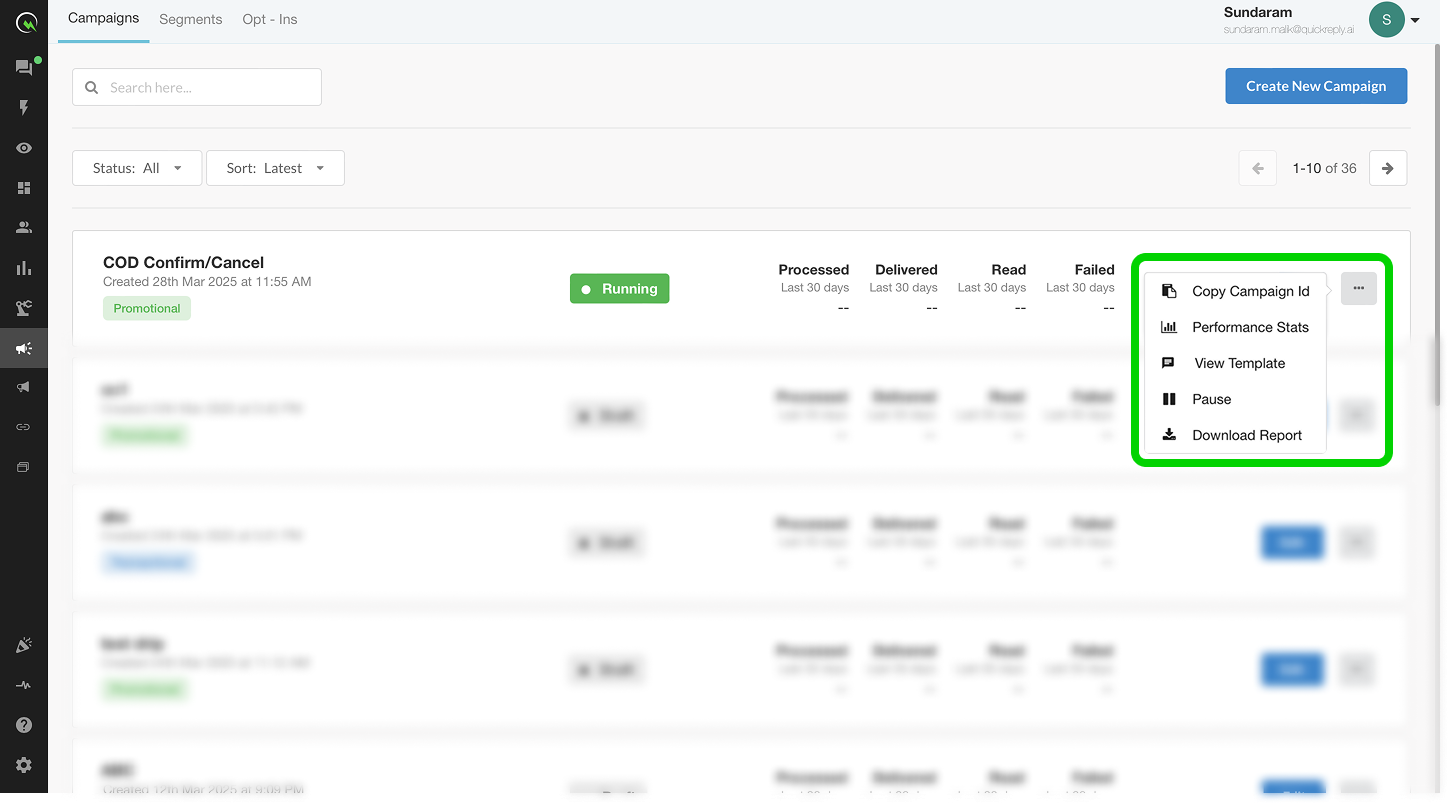
Locate and click on the **More Options Icon (...)** towards the right of the listed campaign.
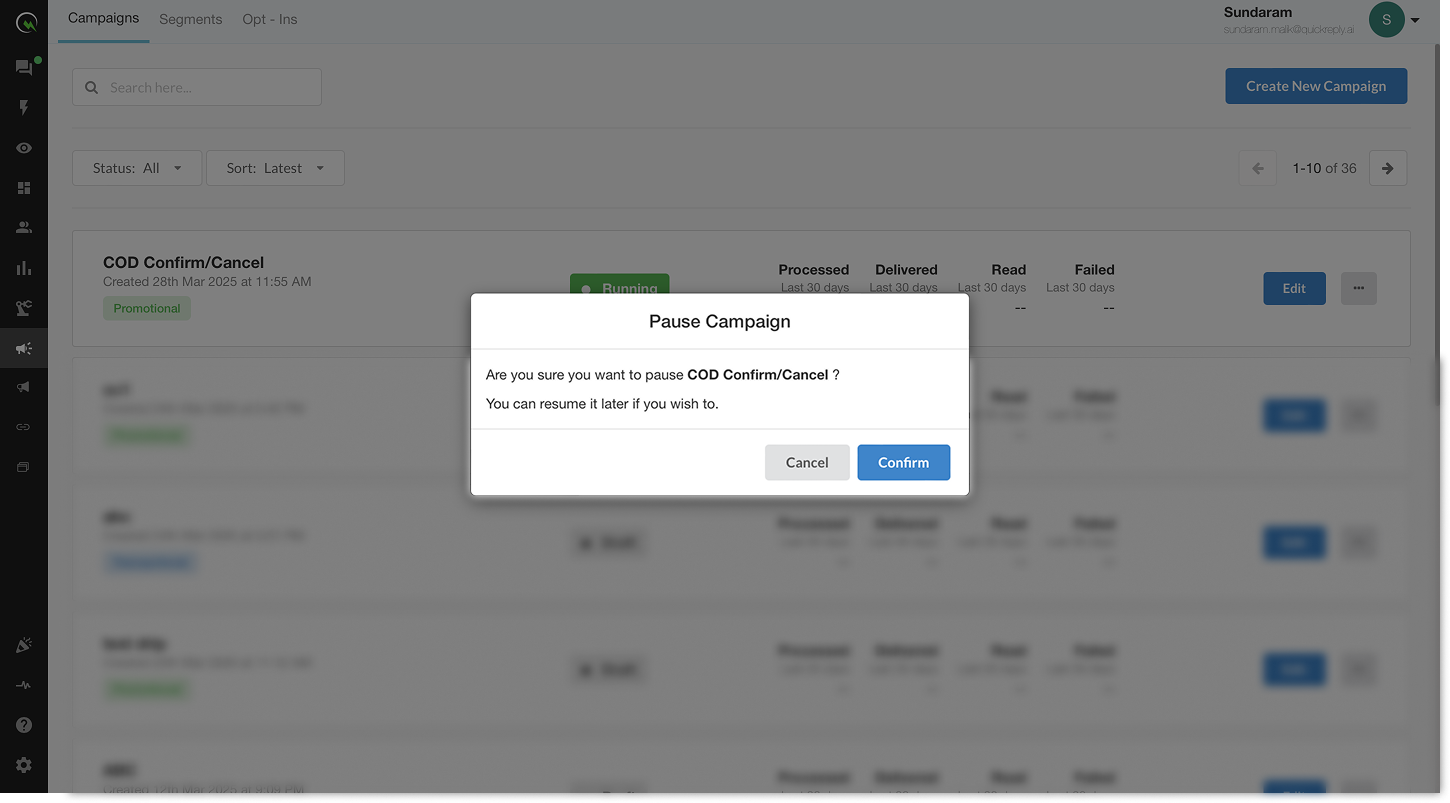
Select the **Pause icon (⏸)** and confirm your choice to stop the campaign immediately for all new entries.
## **What Happens When You Pause a Campaign?**
* New users **won’t enter** the campaign while it’s paused.
* Users already mid-way in the drip will **not receive further messages** until the campaign is resumed.
## **Resume When Ready**
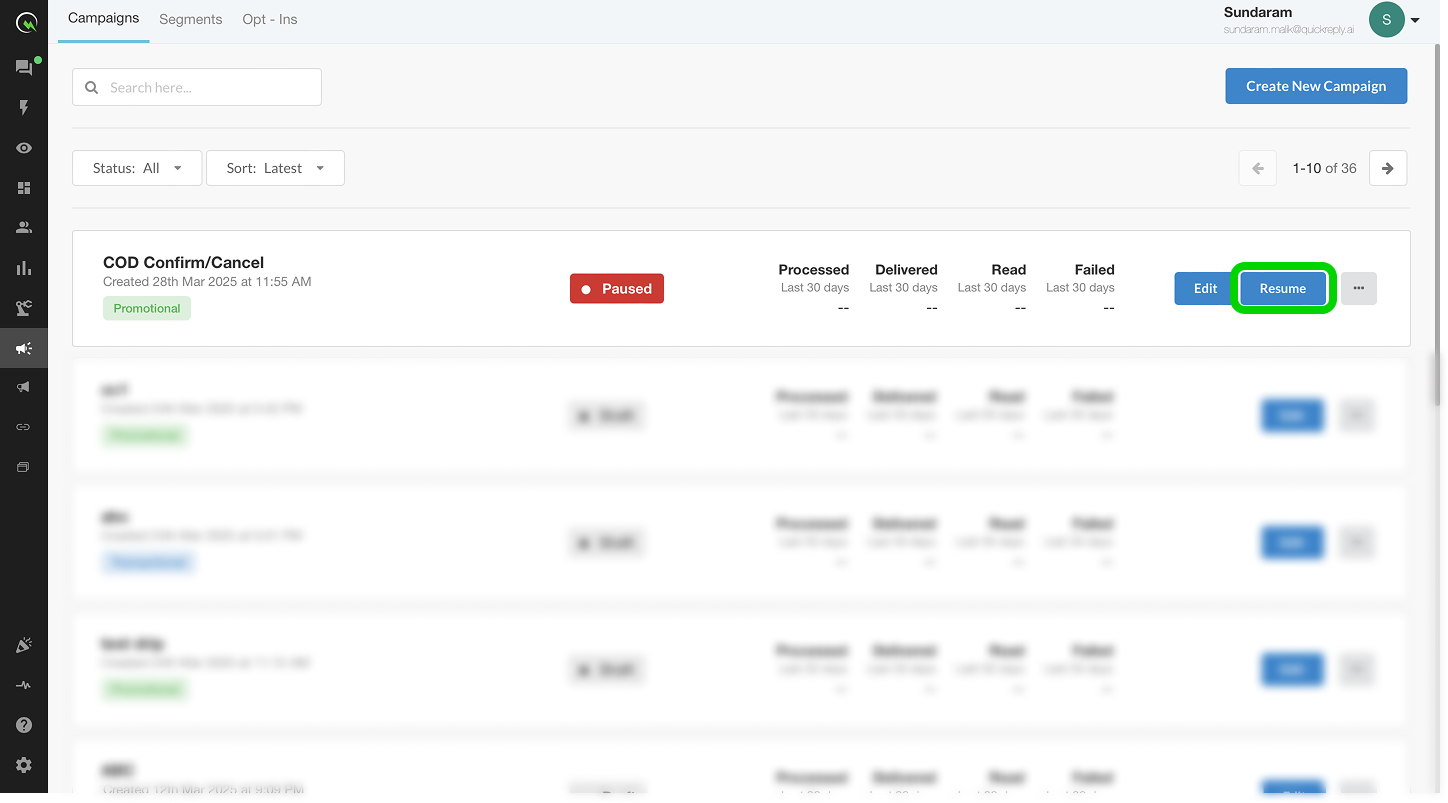
You can **resume** the campaign at any time by clicking on the **Resume button**.
## **Limitations to Keep in Mind**
* Pausing does not cancel existing delays. If resumed later, users may receive queued messages unless manually removed.
* For time-sensitive drips (e.g., delivery notifications), pausing may cause misalignment with real-world events.