> For the complete documentation index, see [llms.txt](https://docs.quickreply.ai/llms.txt). Markdown versions of documentation pages are available by appending `.md` to page URLs; this page is available as [Markdown](https://docs.quickreply.ai/overview/messaging-channels/instagram-and-messenger/connect.md).
# Connecting Instagram / Facebook DM
## Prerequisites & Setup
### Prerequisites
Before integrating Instagram DM and Facebook Messenger with QuickReply, ensure you meet these requirements:
* You need an **Instagram Professional account**—either **Business** or **Creator**.
* That account must be **linked to a Facebook Page** via Meta Business Suite.
* Enable "**Allow access to message**" in the Instagram account app settings.
### Linking Facebook Page to Instagram
#### 1. Log in to the Facebook account with admin or editor access
Log in to the Facebook account and navigate to the desired page. Ensure you have either admin or editor access to this page.
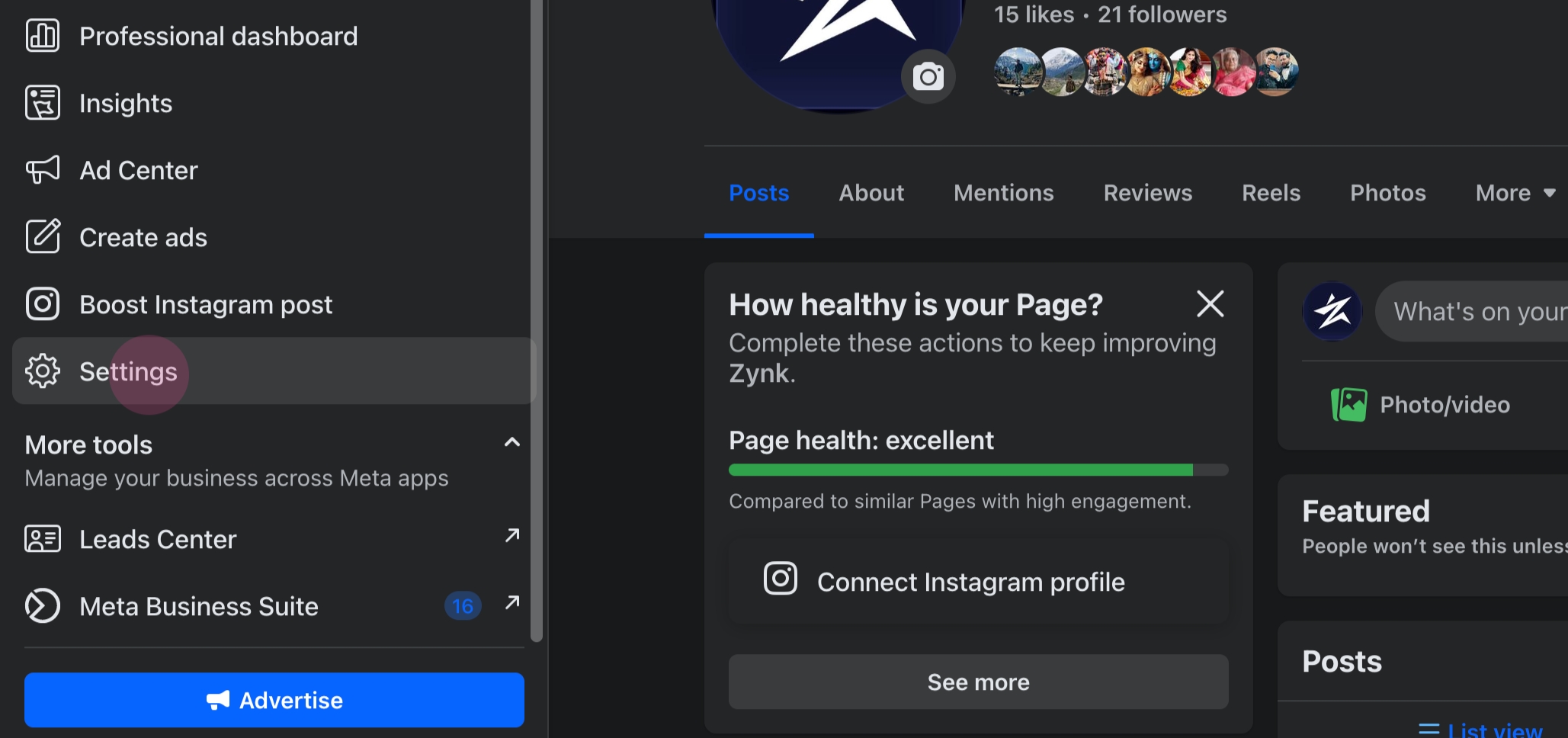
#### 2. Proceed to **Settings**
One can find it in the left panel, under the settings tab.
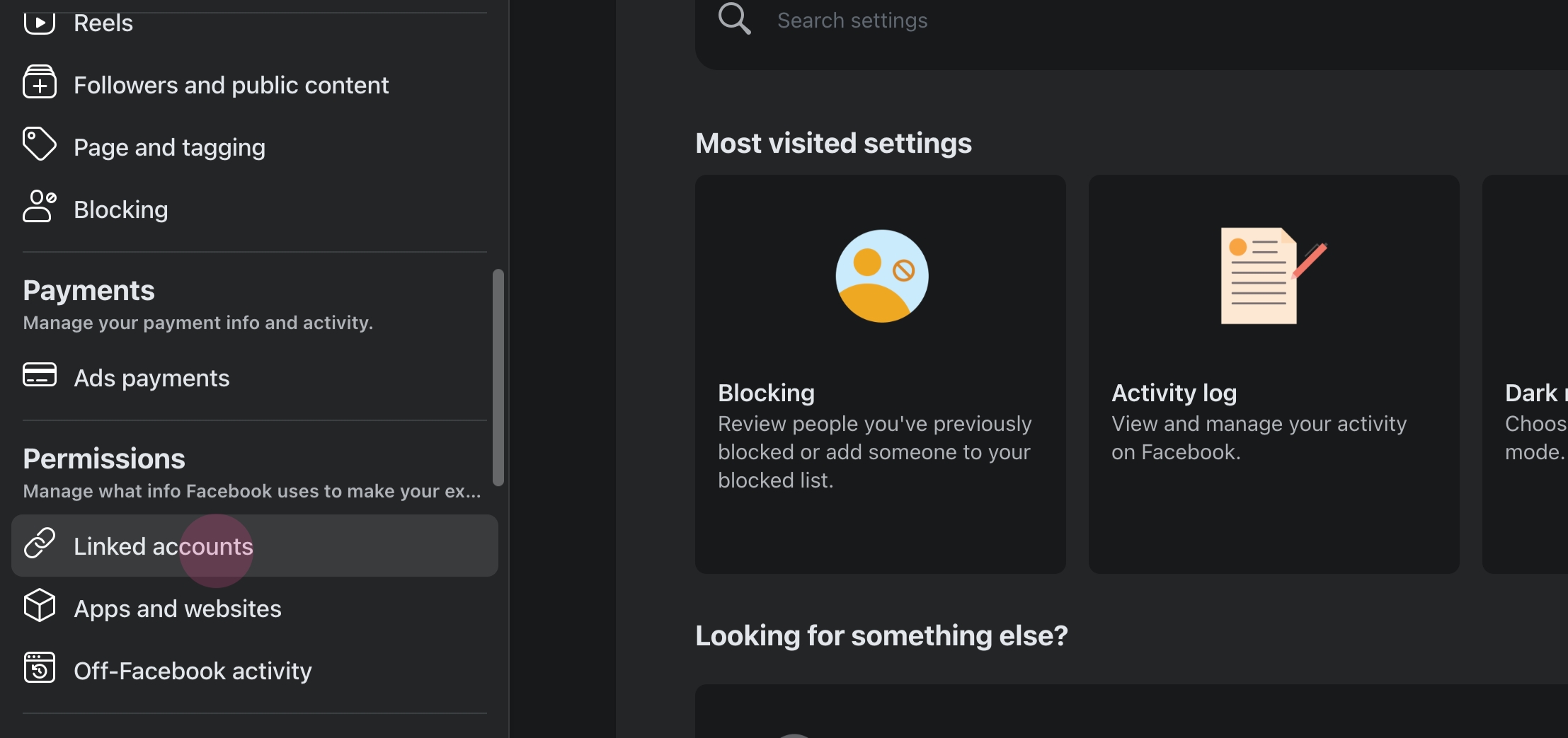
#### 3. Navigate to Permissions
Locate the **Linked Accounts** option.
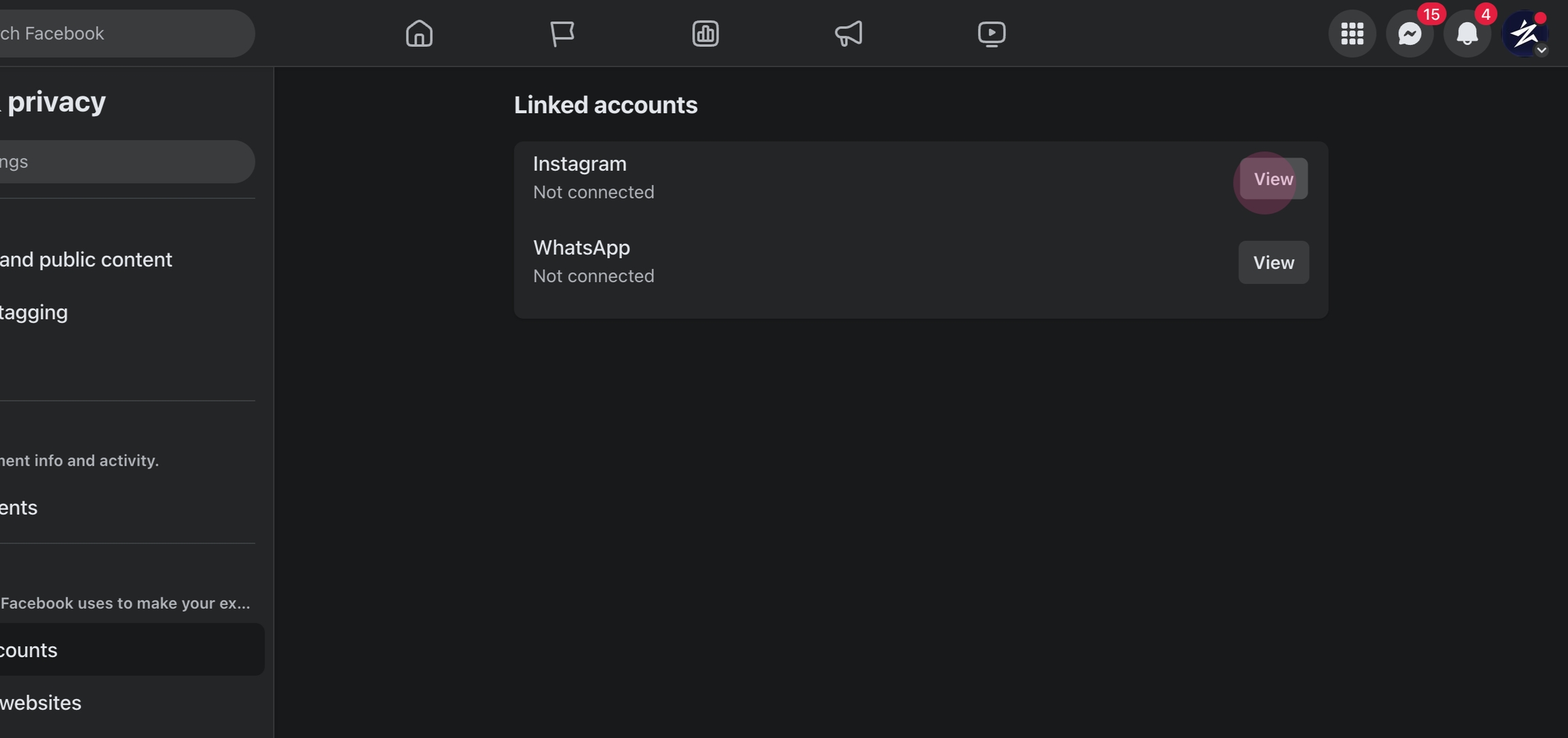
#### 4. View your Instagram account settings
Click on **View** next to Instagram.
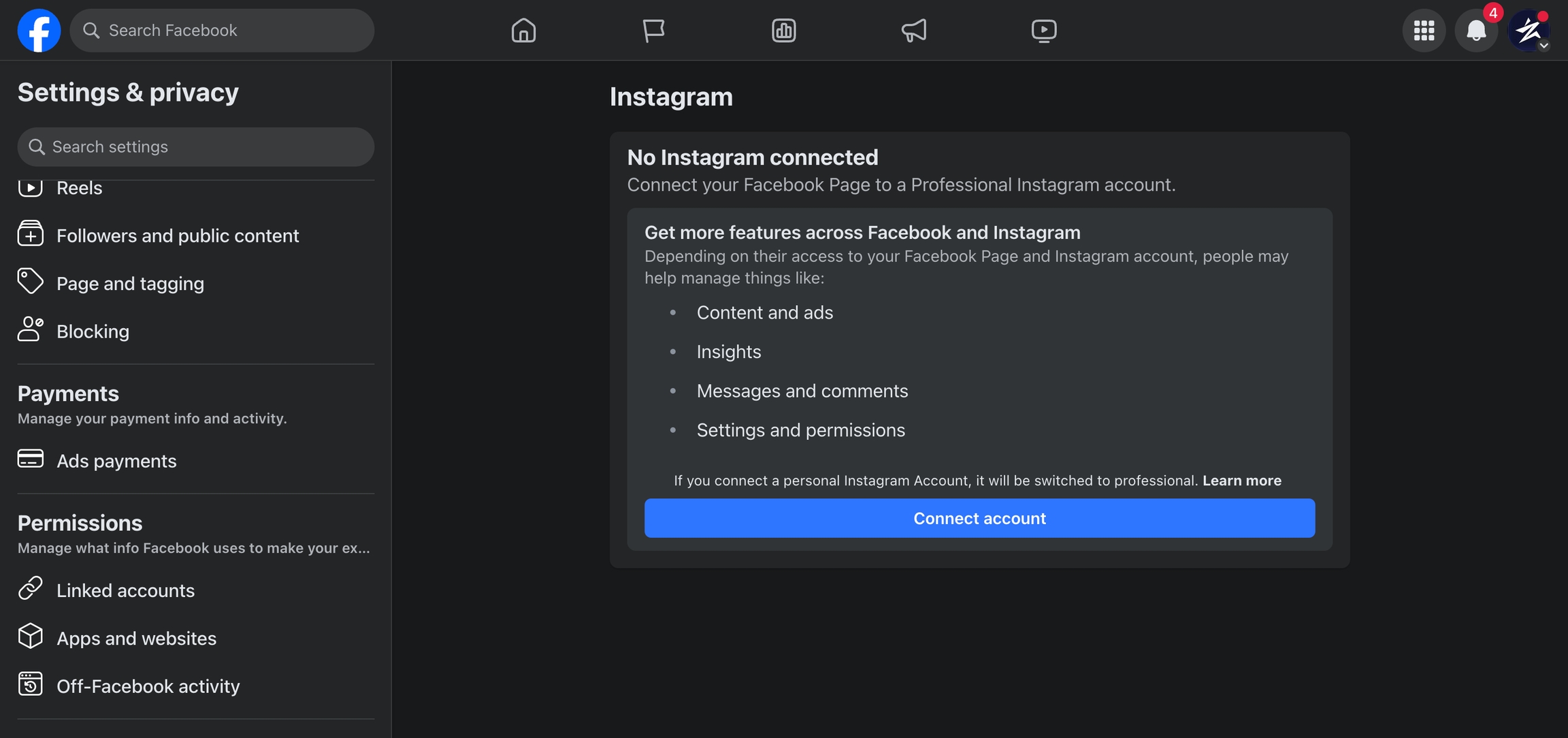
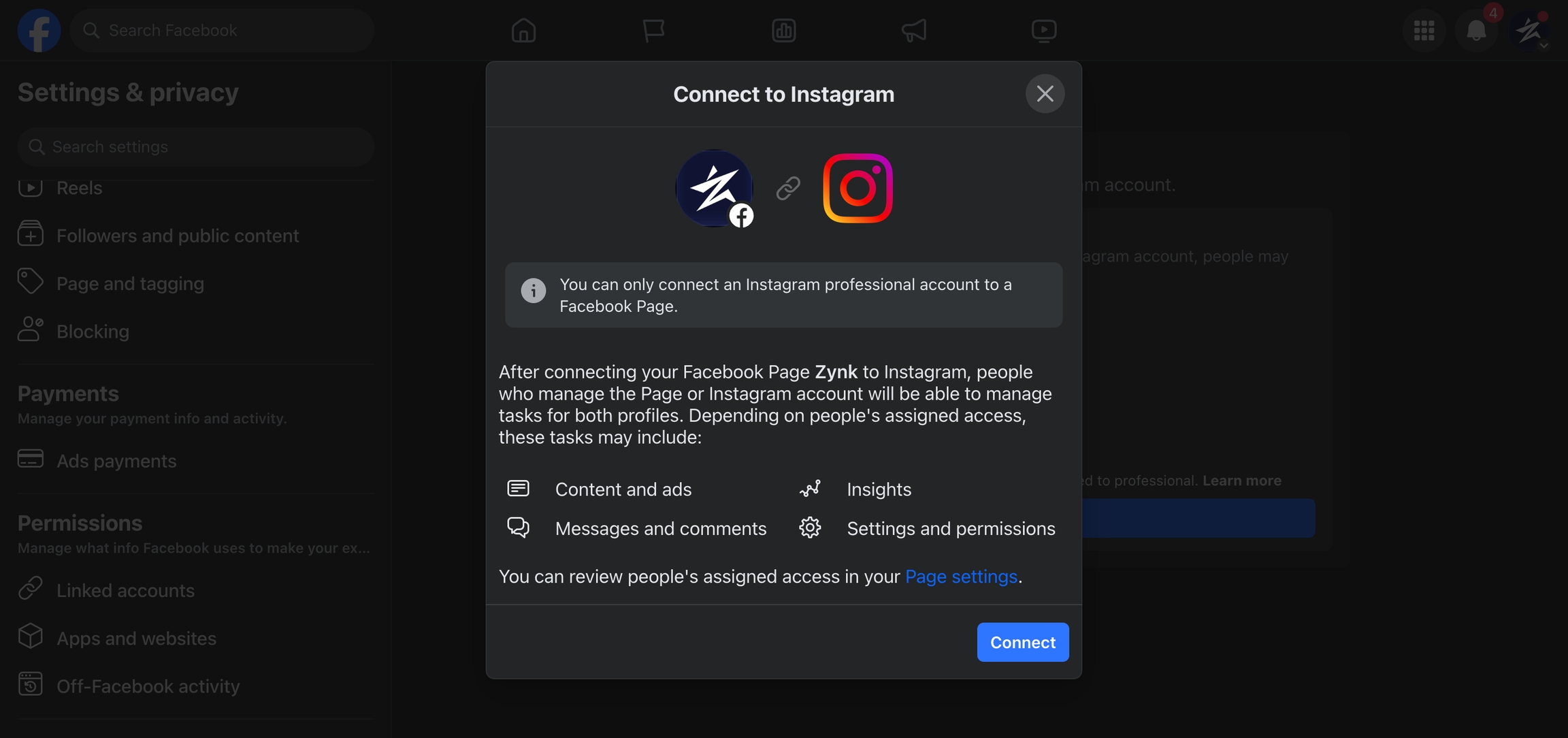
#### **5. Connect Account**.
**6.** Click on **Connect**.
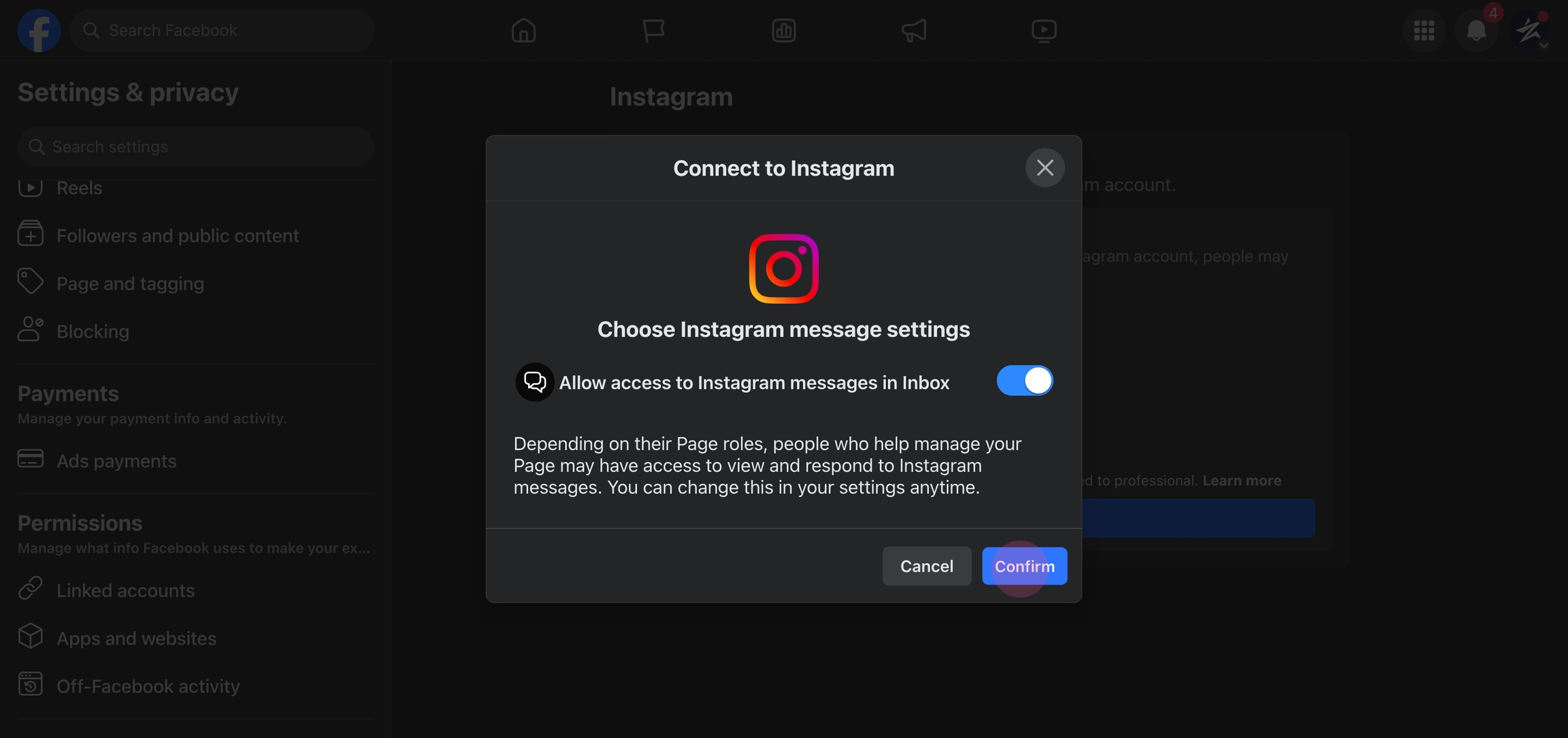
#### 7. Review permissions
Review the permissions and confirm the actions.
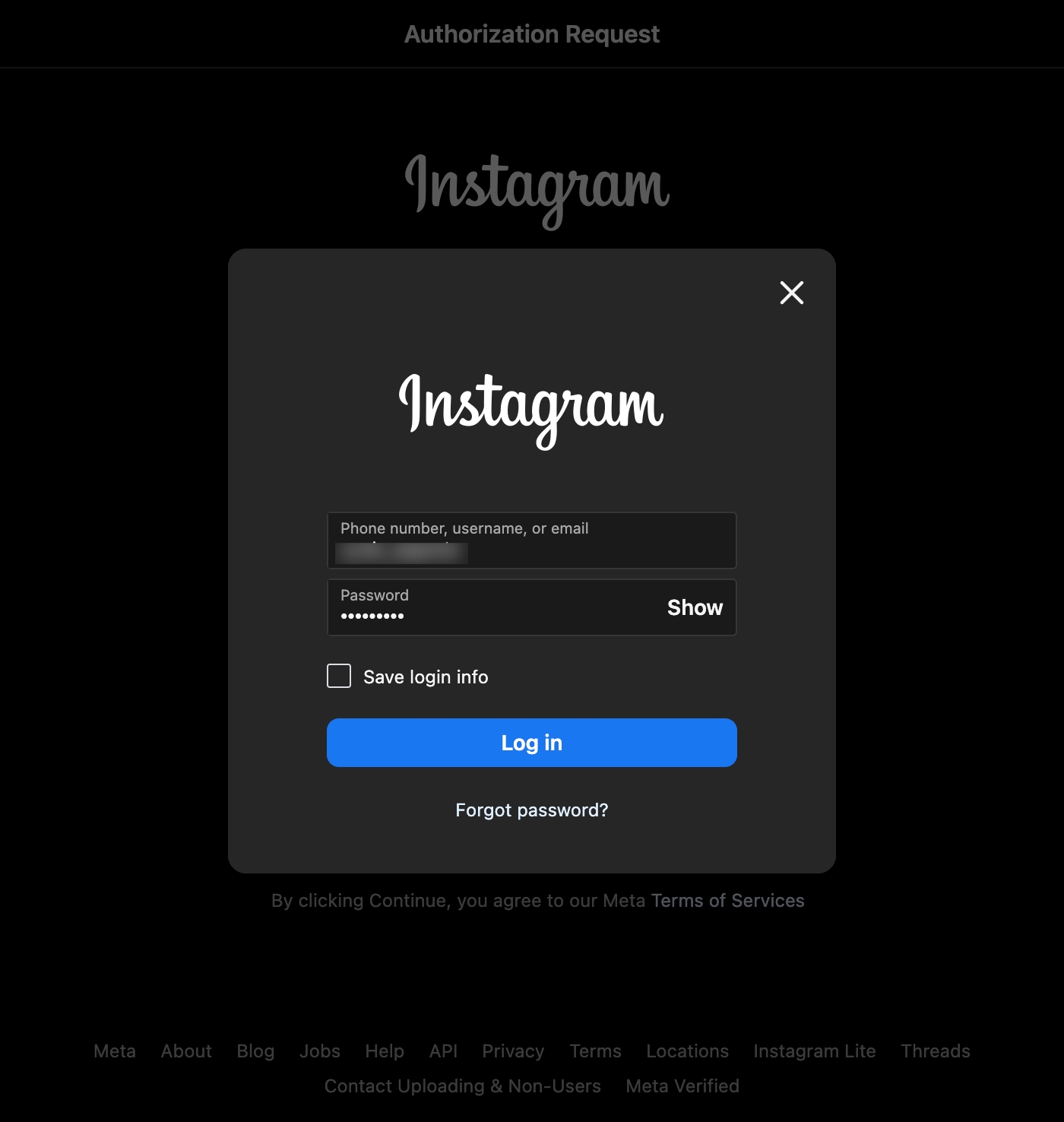
#### 8. Log into the Instagram account
Use your Instagram credentials to login into the account.
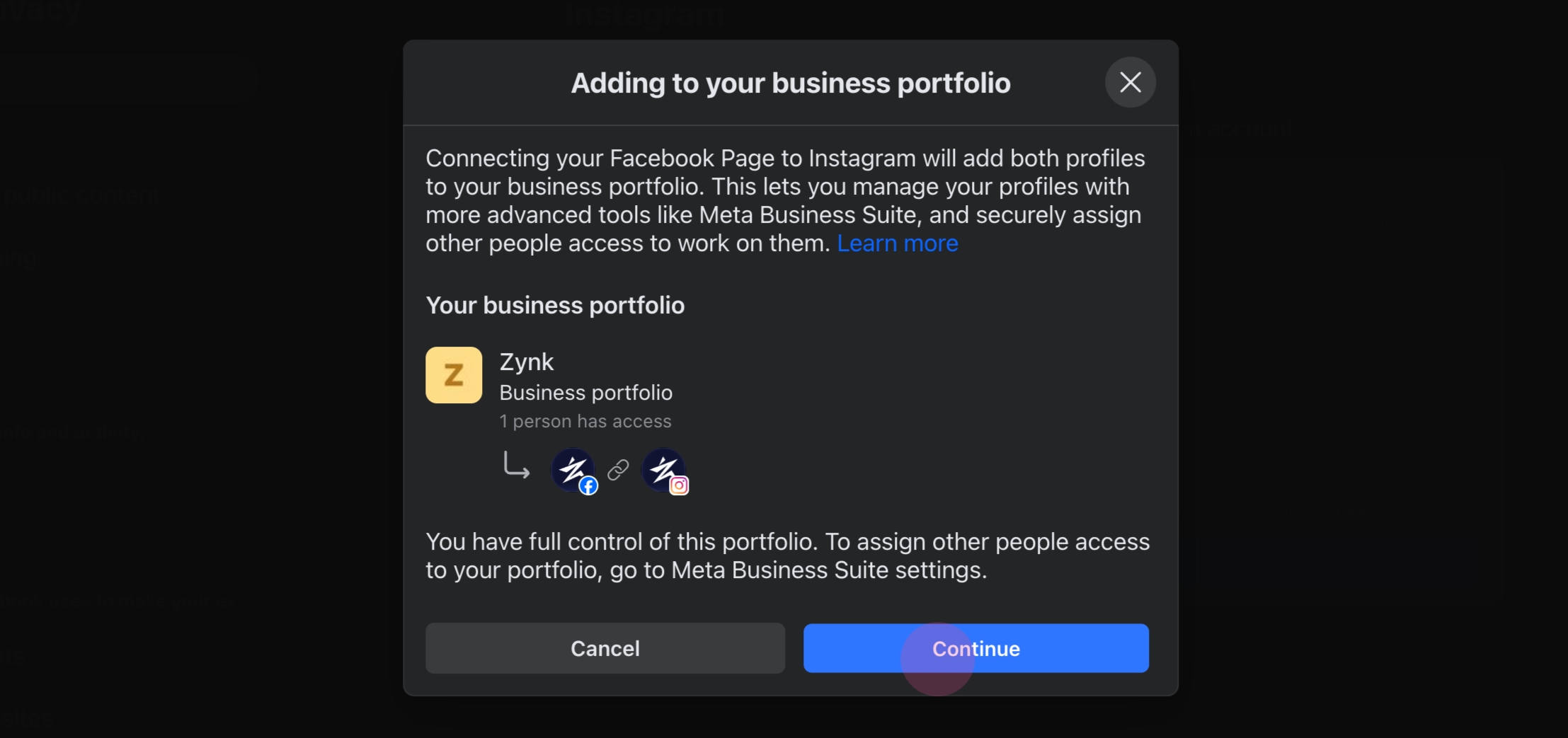
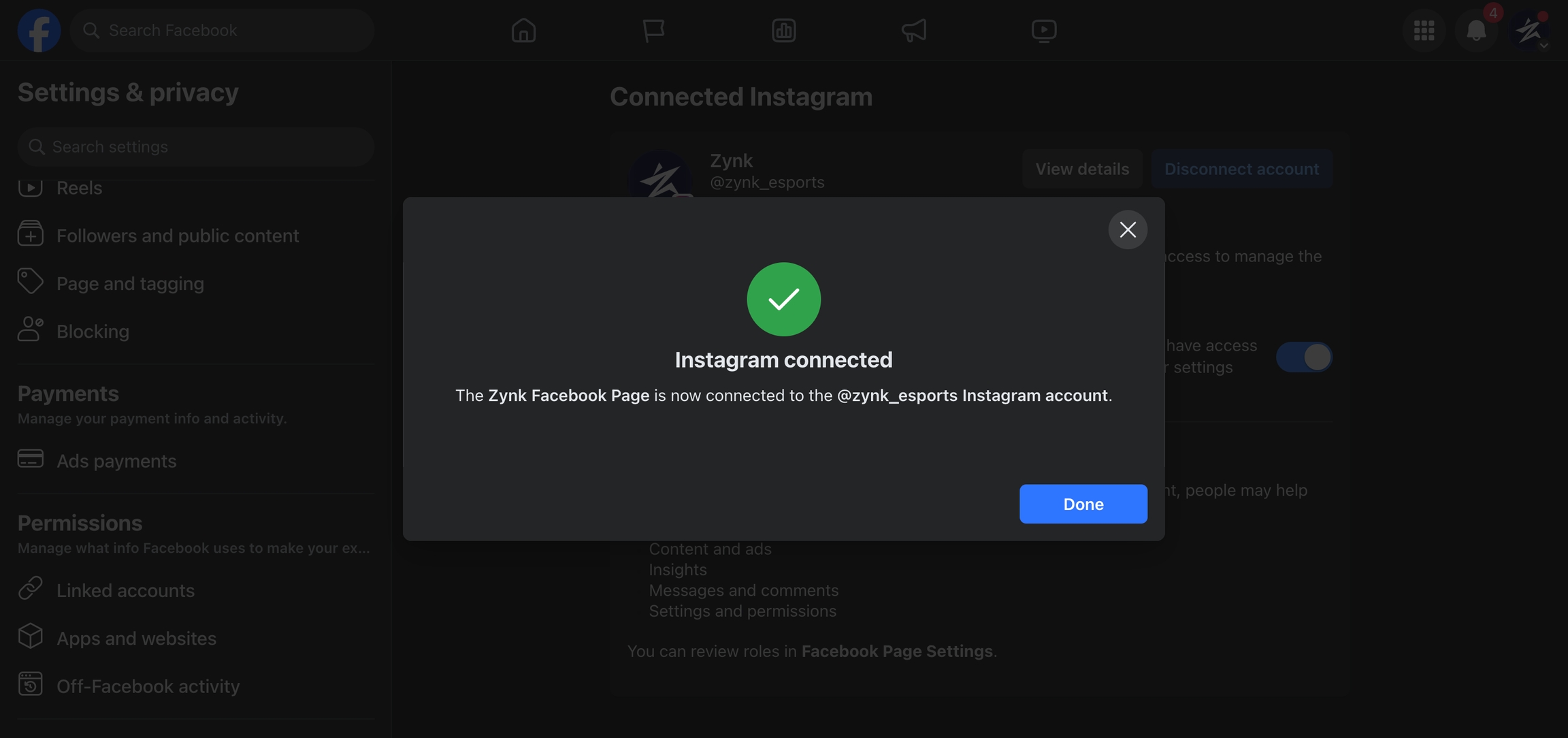
#### 9. Allow Facebook and Instagram connection
Click on **Continue** to allow the connection between the Facebook page and the Instagram account.
10. The Instagram account is now linked to the Facebook page.
### Enable "Allow access to messages" for Instagram DM
#### Click on the **Settings** icon

#### **Navigate to** **Messages and Story Replies**

#### Select **Message Controls**

#### **Allow Access to Messages**
In the **Connected Tools** section, enable the **Allow Access to Messages** permission.

## Setting Up on QuickReply.ai
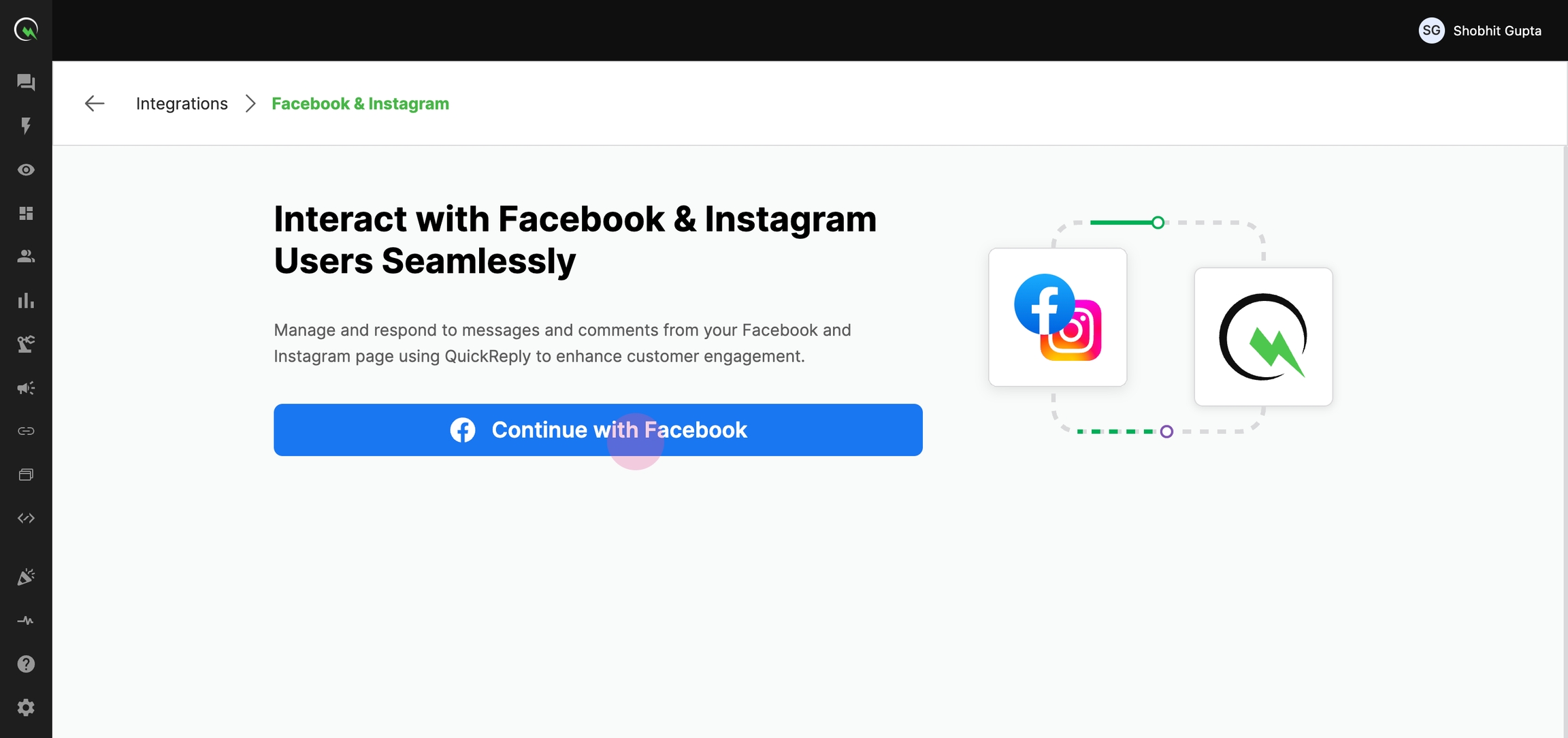
#### 1. Navigate to [integrations](https://app.quickreply.ai/v3/integrations) page on the QuickReply app
On the Facebook & Instagram integrations page, click on **Continue with Facebook**.
#### 2. Login into Facebook through the redirect
Log into your Facebook account when the modal appears.

#### 3. Continue as per your account ID
After successful login, click on **Continue**.

#### 4. Select **Business Manager**

#### 5. Select the Facebook page.

#### 6. Select the Instagram page.

#### 7. Review and Save the permissions

After saving, you'll be redirected back to QuickReply.
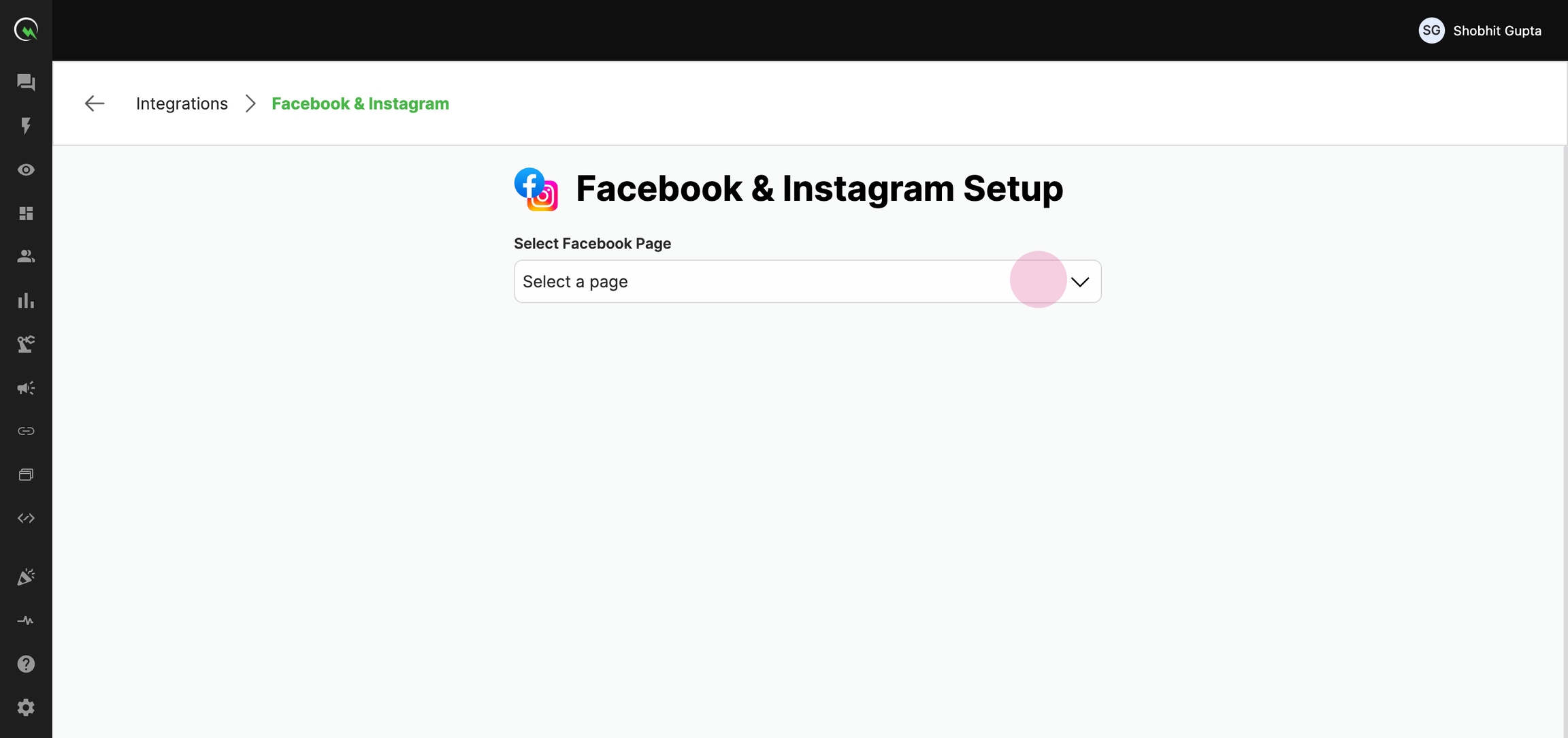
#### 8. Select the Facebook page
Select the Facebook page you wish to connect. Note, that the linked Instagram page will also be displayed
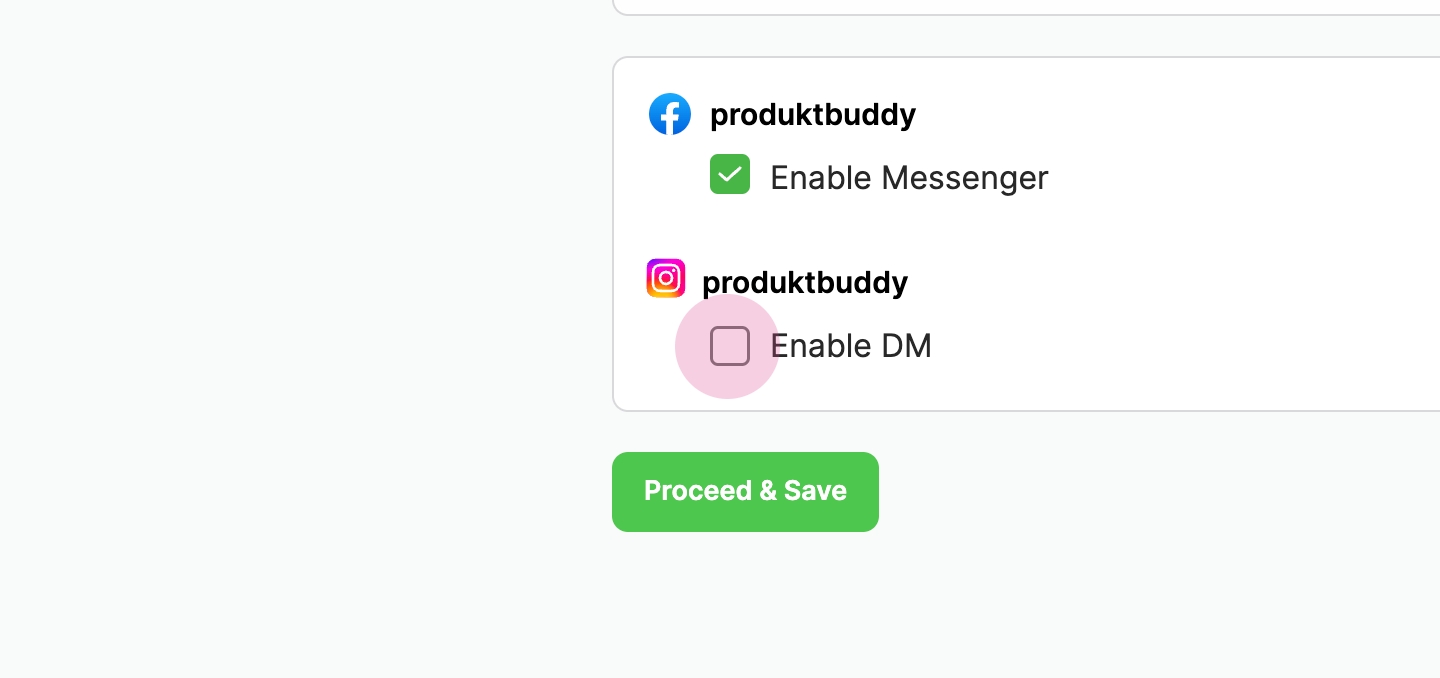
#### 9. Enable Messenger and DM
Click on **Enable Messenger** & **Enable DM,** and finally, click on **Save**.
You've successfully connected your Instagram and Facebook pages to QuickReply.ai.